File your media like you mean it.
The missing step between a messy downloads folder and a beautiful Jellyfin library. Drop in release-named files and Showrunner identifies each title, renames it to Jellyfin's expected format, and stages the artwork. Nothing touches your disk until you press Start.
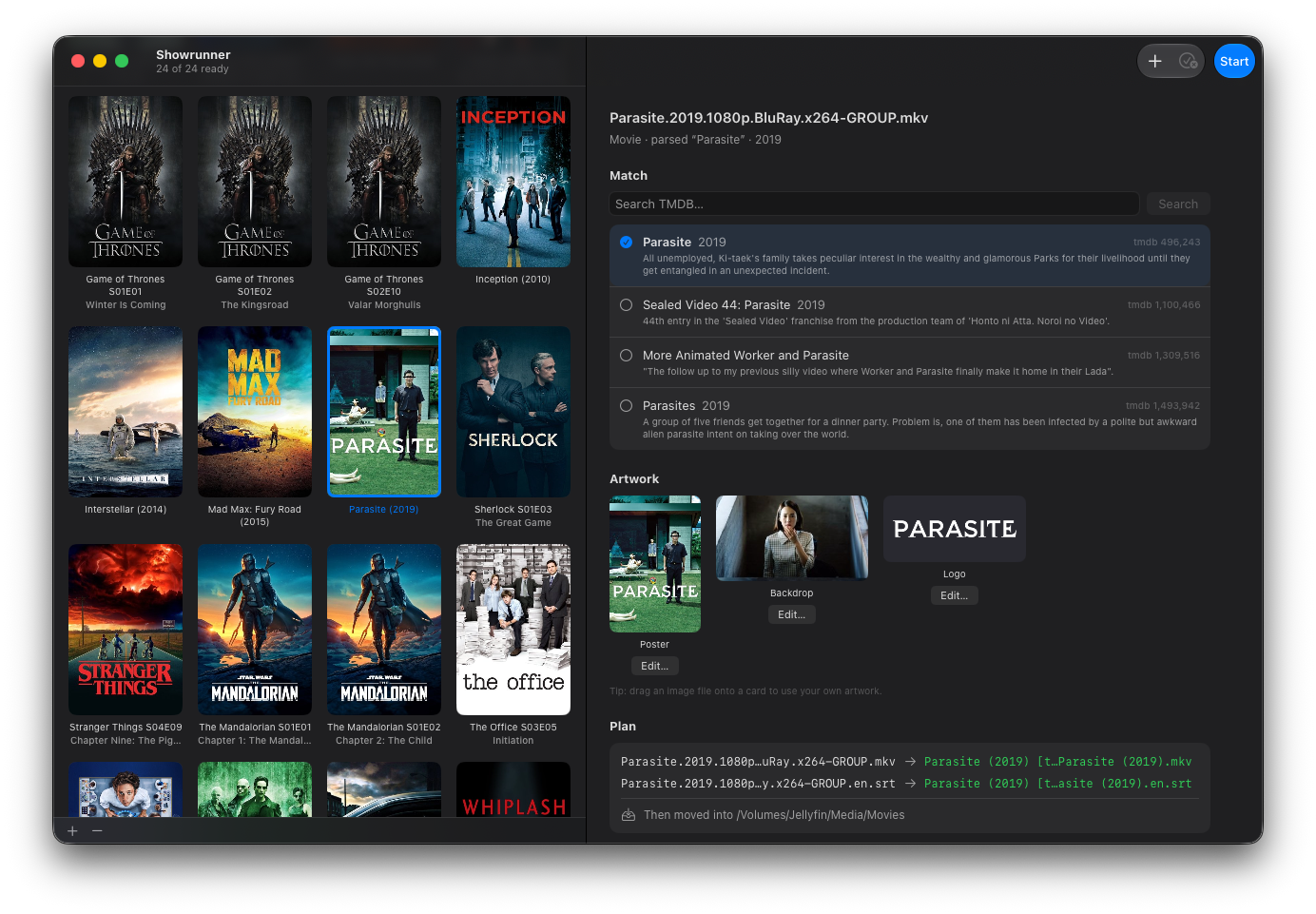
Drop messy release-named video files on the app. Showrunner parses the names, finds the right titles, and files everything into your Jellyfin library; tidy title folders, season folders, episode names, even your subtitles.
Three steps from chaos to catalogued
No setup. Drop, glance, done.
Drop
Drag your release-named video files onto Showrunner. It parses the messy filenames and finds the right titles on TheMovieDatabase.
Review
See the whole queue at a glance; each matched title, the exact Jellyfin path it will become, and the staged poster, backdrop and logo. Fix any metadata match or swap art in a click.
Process All
Hit the button. Showrunner renames, stages the artwork, and files everything into your library - folders, seasons and all. Nothing before then.
Everything in its right place
Built around one job: getting your library exactly the way Jellyfin deserves it.
Movies & TV, sorted
Films and shows both. Episodes get proper season folders and episode titles pulled from TMDB — multi-episode files and specials handled too.
Jellyfin-perfect naming
Tidy “Title (Year)” folders, season folders and episode names, all matching Jellyfin's conventions exactly, with optional tags for unambiguous matching.
Artwork, staged for you
Every title gets its poster, backdrop and logo; plus series and season posters for TV. Pick an alternative, or drag your own art straight from Finder.
Subtitles ride along
Your .srt, .ass and other sidecar files move with their video automatically, language suffixes preserved.
Safe by default
Nothing touches your disk until you press Start. Existing series folders are used correctly and new seasons slot in. Nothing is ever overwritten.
Native & private
Built for Mac. Sandboxed, and it sends only search queries to find your titles. Showrunner collects nothing about you.
Release names in, Jellyfin out
The exact folder structure and filenames Jellyfin wants - generated for you.
The Matrix (1999) [tmdbid-603]/
The Matrix (1999).mkv
Breaking Bad (2008) [tmdbid-1396]/
Season 05/
Breaking Bad S05E14 Ozymandias.mkv
macOS 26 (Tahoe) or later
Built for the latest Mac technologies.
Liquid Glass-native
A UI that fits in with the rest of your Mac.
Works out of the box
Metadata and artwork come from TheMovieDatabase.